
PowerPoint to PDF
Turn your PPTX into a PDF for clients, classmates or your next review. Upload one presentation, convert it, then check the pages before sharing.
PPTX · up to 50 MB · Free after sign-in · API · 1 credit per file
Convert your first presentation
1. Choose your file
Sign in, then select a PPTX up to 50 MB. If you have a legacy .ppt file, save it as .pptx in PowerPoint first.
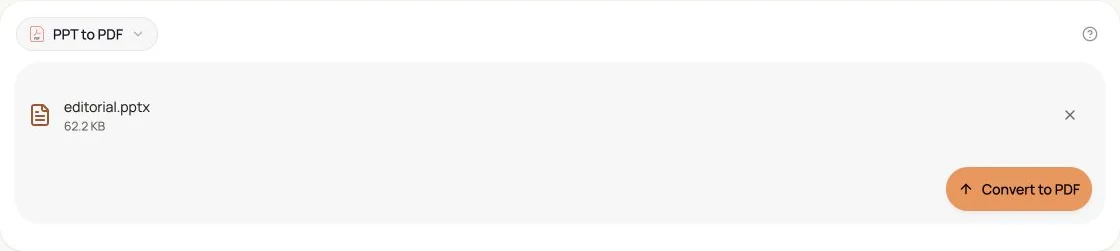
2. Start the conversion
Use the conversion button and wait for the result panel. Processing time varies with file size and slide complexity.
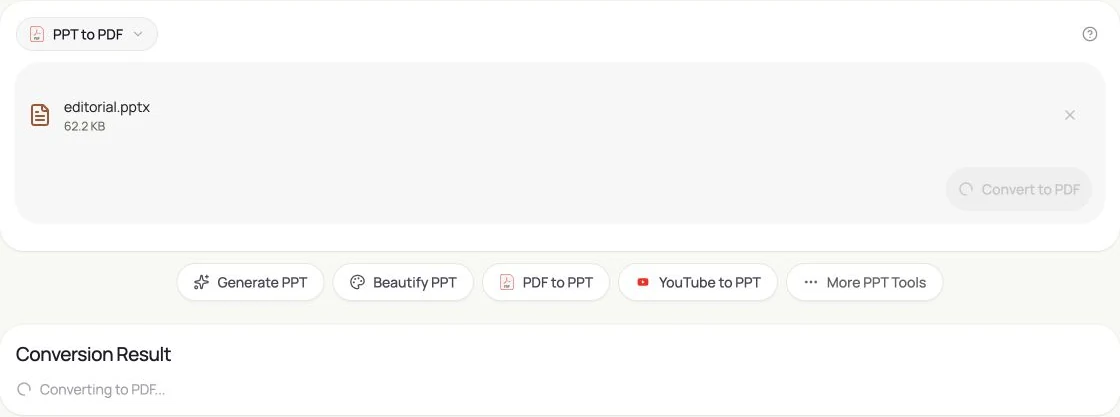
3. Download and review
Download the PDF from the result panel. Open it to check page count, text, images and line breaks before distributing it.
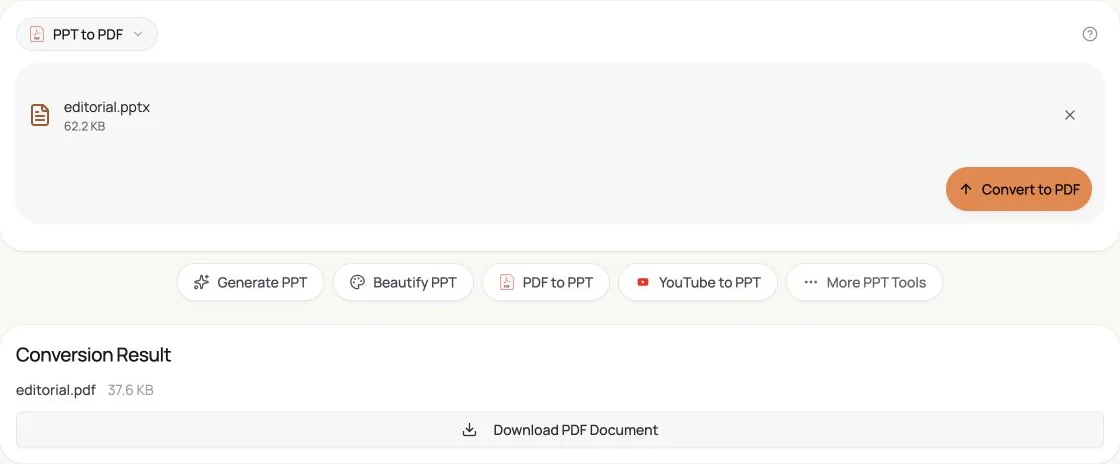
Actual GenPPT interface, captured in English on 16 October 2026 using original sample files without customer data.
Check these before you share
Fonts and layout
A font unavailable on the conversion server may be substituted. Complex charts, effects and line breaks can differ from PowerPoint.
Static content
PDF is a reading format. Slide animations, transitions and video playback are not reproduced as a slideshow.
Private information
The file is uploaded to GenPPT for processing. Only upload material you are allowed to share with this service; see the privacy policy for data handling.
Questions before converting
Is the web tool free?
Yes, the current web converter is free after sign-in. Conversion through a Bearer API key costs 1 credit per file.
Can I upload PPT or several files at once?
This tool accepts one PPTX at a time, up to 50 MB. Legacy .ppt files must be saved as .pptx first. There is no batch-upload control on this page.
What should I do if conversion fails?
Confirm that the file is a valid PPTX under 50 MB and that you are signed in. Try a small sample; if that works, inspect the original file for unsupported or damaged content.