
From a saved PDF
Keep a reference copy and review the converted file. It is a new draft, not a recovered Tome project.
Try PDF to PPTA file-based transition guide
Start with the material you still have: a PDF, a document or your own notes. Choose a new workflow around those files, rather than relying on an old presentation link.
Published by GenPPT. The historical Tome announcement is available in indexed official-source text; the direct page returned 404 on October 16, 2026. We have not tested current access to an old Tome account.
Checked on
These are file-based rebuilding paths, not a live feature comparison with Tome or a way to recover its server data.
What you have
You already downloaded a PDF and can open it locally. Keep that original as your reference.
Try PDF to PPTWhat to do next
Use PDF-to-PPT for a new draft. Review text, charts, line breaks and missing pages; conversion does not guarantee the original layout.
What you have
You have the underlying Word document, source text or an outline that you can legally reuse.
Try Word to PPTWhat to do next
Organize the message and start from Word or text. Check claims, citations and audience before generating a replacement deck.
What you have
A presentation link is not a local backup, and this guide cannot determine whether its underlying content is recoverable.
Start from your own topicWhat to do next
Look for your own downloaded files and notes. GenPPT has no access to Tome accounts and cannot promise to restore unavailable content.
Keep a reference copy and review the converted file. It is a new draft, not a recovered Tome project.
Try PDF to PPTWord
Use the content you still own and check the story before choosing a template.
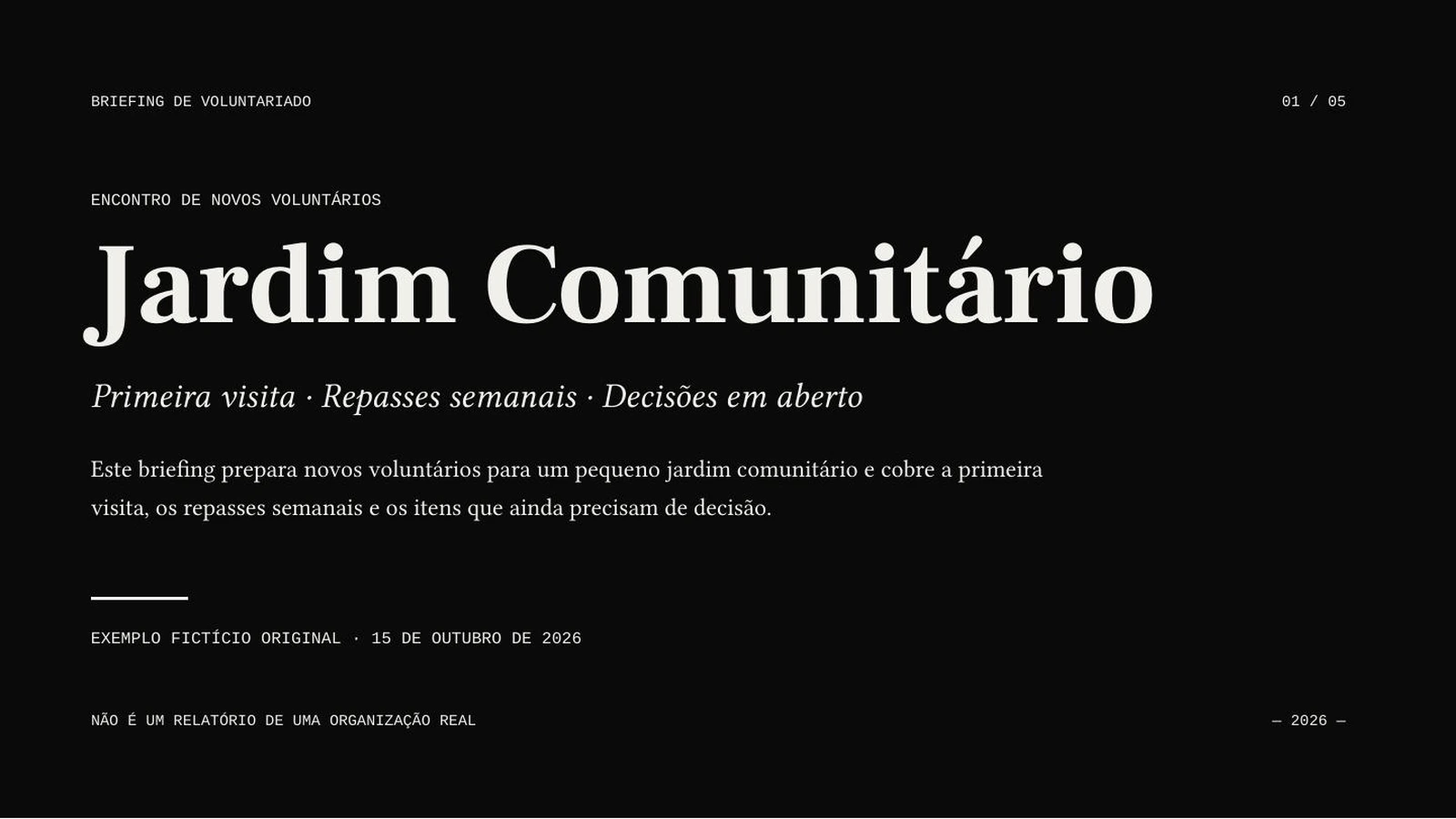
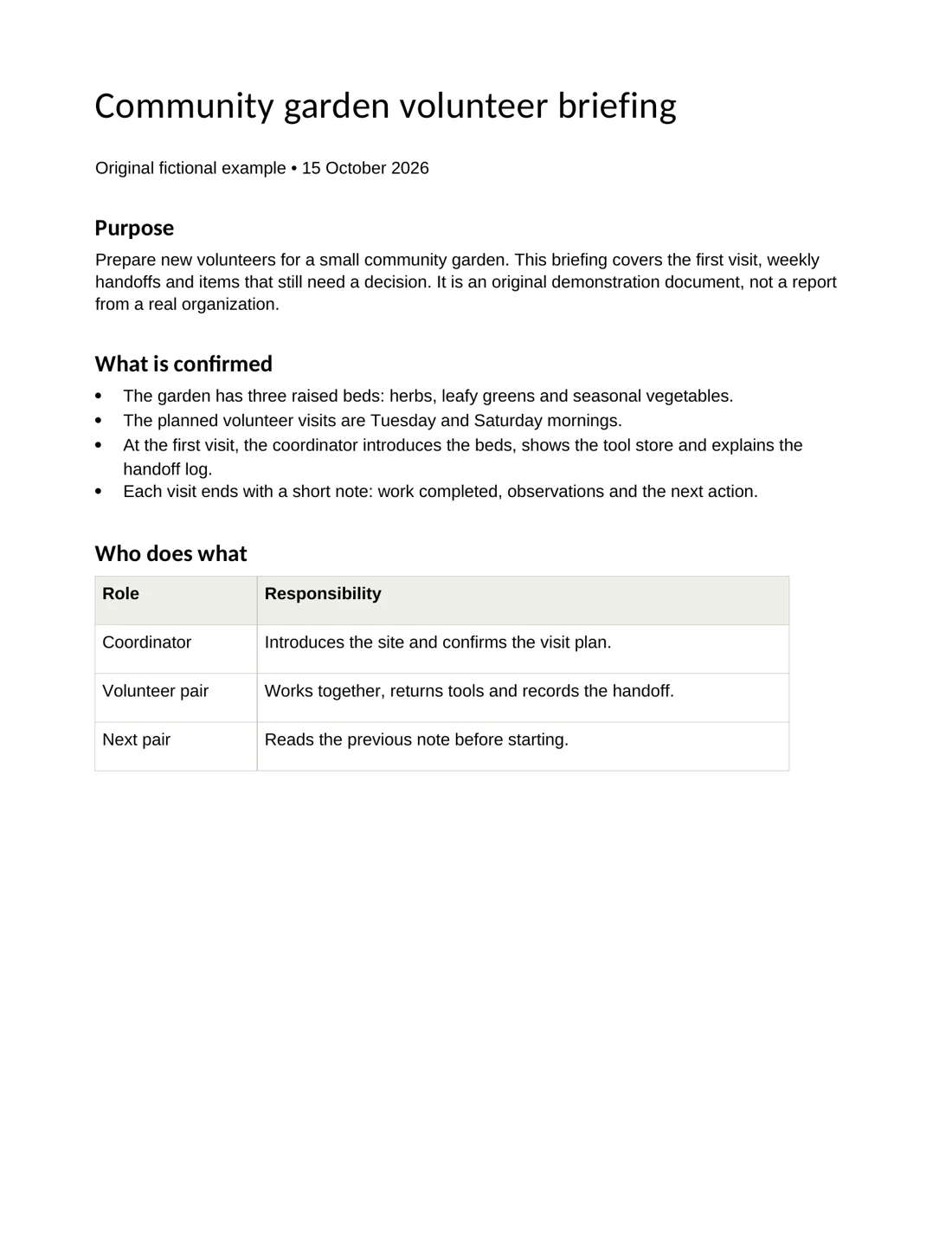
Try Word to PPTSee an actual GenPPT Word-to-slide run, with the original document and exported PPTX. This is an example of starting again from available material, not a recovered Tome deck.
 Open full-size image
 Open full-size image
AI Agent · Sonnet 4.6 · Portuguese · 5 slides requested · no illustrations
An original two-page English garden briefing is the source for a Portuguese presentation. Compare the source with the actual exported slides.
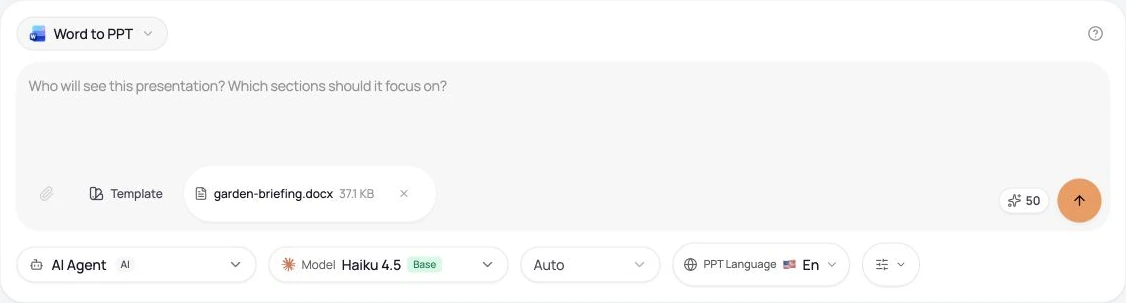
Our original fictional English briefing was used to generate the Portuguese deck. The settings beside the result describe that run; the tutorial screenshot shows a separate input state.
Use your onboarding document to introduce roles and routine tasks. Ask for the audience’s level and preserve instructions that must remain precise.
Explain counts, periods and exceptions from an operational worksheet. State whether rows describe people, events or repeated opportunities.
Use a report you can share as the source for a shorter meeting deck. Check figures, sources and any caveats lost in the summary.
Use a small, nonconfidential document and inspect both the draft and the downloaded file. These steps and the screenshot show GenPPT’s Word-to-PowerPoint workflow.
Choose a nonempty DOCX or DOC file within 50 MiB. Clear headings and complete sections give the draft useful structure.
Select the slide count, output language, model and any optional illustrations. Sign in, check the credits and submit once.
Compare the draft with its source. Correct content and layout, then open the downloaded file in your presentation software.
 Open full-size image
No recovery capability is demonstrated here. GenPPT cannot access Tome accounts or server files. Start from a file or notes you already possess.
The historical announcement described PDF export before the April 30, 2025 sunset. That is not evidence that sign-in or export works today. The direct announcement page is currently unavailable.
The dated announcement was read through indexed official-source text on October 16, 2026; its direct URL returned 404. This is historical evidence, not a current service-access test.
The dated announcement was read through indexed official-source text on October 16, 2026; its direct URL returned 404. This is historical evidence, not a current service-access test.
Our own evidence includes current product code, real source-to-PPTX samples and published account conditions. We have not verified every font, app, team workflow or competitor plan. Use your own material to evaluate the fit.